

Stop Losing Leads: 7 Powerful CRM Fixes for MSMEs
A simple CRM for small business can solve one of the most frustrating problems growing MSMEs face: customer information starts appearing everywhere, yet nobody can quickly find the complete story when they need it.
One customer’s phone number may be inside a spreadsheet.
Their quotation might be buried in email.
A salesperson may have important notes inside a messaging app.
Another employee remembers that the customer asked for a follow-up next week—but the reminder exists only in that employee’s head.
Everything seems manageable until the business gets busier.
Then an inquiry gets forgotten.
A quotation is never followed up.
Two employees contact the same customer without realizing it.
A returning customer has to explain their requirements again.
Eventually, opportunities disappear—not necessarily because customers rejected the business, but because the business lost track of the relationship.
That is where a CRM can help.
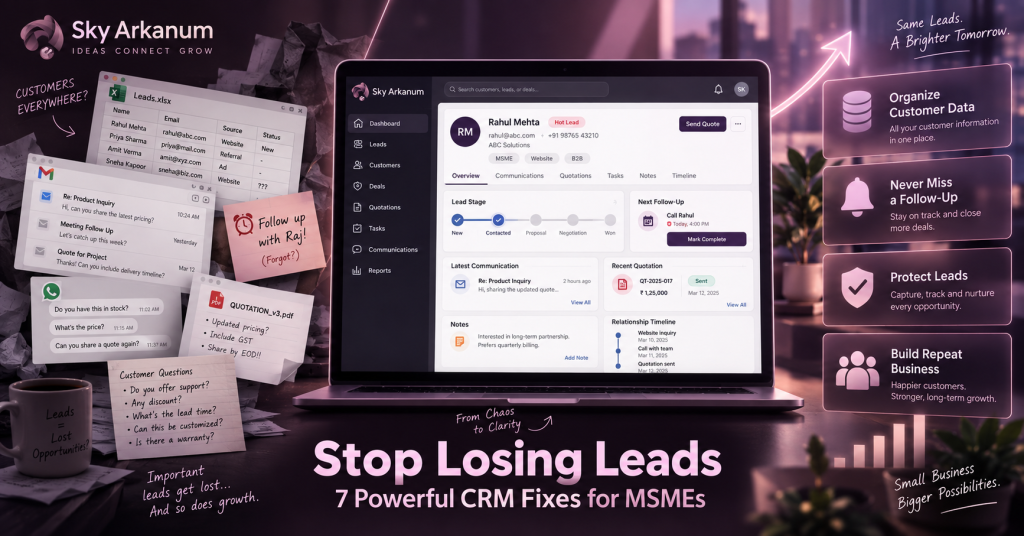
CRM stands for Customer Relationship Management. In simple terms, it gives your business one organized place to manage customers, leads, conversations, sales opportunities, follow-ups, notes, quotations, and relationship history.
Current small-business CRM guidance from Xero, Salesforce, and Capterra emphasizes the same core problems: scattered customer data, forgotten follow-ups, lost leads, weak pipeline visibility, and customer information spread across disconnected tools.
However, an MSME does not necessarily need an enormous enterprise CRM with hundreds of features.
Often, the better solution is much simpler.
Why a Simple CRM for Small Business Matters
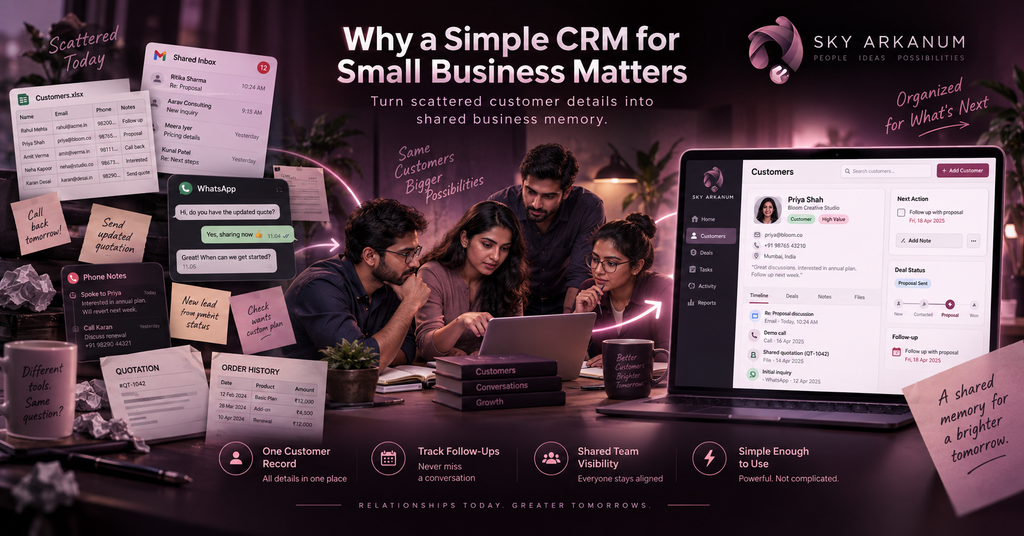
Most small businesses already have some form of customer-management system.
It just may not look like one.
Perhaps it is a spreadsheet containing customer names and phone numbers.
Maybe it is a shared email inbox.
Customer conversations could live in Messenger, WhatsApp, SMS, or another communication platform.
Salespeople might keep personal notes on their phones.
Meanwhile, quotations and order history are stored somewhere else.
For a small team, this can work surprisingly well.
The problem appears when customer volume grows.
Suppose five employees are now communicating with dozens or hundreds of customers.
Each person may know their own conversations extremely well.
However, the business itself does not have a shared memory.
If an employee is unavailable, leaves the company, forgets a conversation, or simply becomes busy, important customer context can disappear with them.
A simple CRM for small business changes that by giving customer relationships a structured home.
Capterra describes a small-business CRM as a way to track customer relationships, interaction history, deal status, and required next actions. Its 2026 guidance also stresses that small companies do not necessarily need complex enterprise functionality; they need a dependable way to prevent missed follow-ups, disorganized contact data, and pipeline blind spots.
For MSMEs, simplicity matters.
A CRM your employees actually use is far more valuable than a powerful platform they avoid because it feels complicated.
1. Your Customer Information Is Scattered Everywhere
Consider one ordinary customer.
Their contact details are in a spreadsheet.
Their initial inquiry came through Facebook.
A quotation was emailed.
Someone discussed pricing over the phone.
The customer later sent additional requirements through chat.
Eventually, they placed an order.
Several weeks later, they contact your company again.
Now an employee has to reconstruct the relationship.
Who handled them last time?
What did they buy?
What price were they quoted?
Were there special arrangements?
Did they complain about something?
Is another salesperson already following up?
The information exists.
The problem is that it exists in too many places.
How a Simple CRM for Small Business Fixes Scattered Data
A CRM creates one customer profile.
Instead of searching through multiple systems, employees can open that customer and see the relevant information associated with them.
That profile might contain contact information, company details, inquiries, quotations, order history, notes, documents, communication history, assigned staff, upcoming follow-ups, and current account status.
The important change is not simply putting information into a database.
It is creating context.
When an employee opens the record, they should quickly understand:
Who is this customer?
What have we discussed?
What have they purchased?
What are they currently interested in?
What needs to happen next?
That turns scattered data into usable customer knowledge.
2. Forgotten Follow-Ups Are Quietly Losing Sales
Most leads do not disappear dramatically.
They simply become quiet.
A customer asks for a quotation.
You send it.
They do not respond immediately.
Someone intends to follow up on Friday.
Friday becomes Monday.
More inquiries arrive.
An urgent issue takes priority.
Two weeks later, somebody asks:
“What happened to that customer?”
Nobody knows.
The customer may still have been interested.
They simply moved on.
Xero’s 2026 guide specifically identifies missed follow-ups and leads falling through the cracks as signs that a small business may need a CRM, while simple CRM products increasingly use reminders and automated task creation to keep opportunities from being forgotten.
How CRM Follow-Up Automation Helps
Instead of depending on memory, the system can track the next action.
For example, a quotation is sent today.
The CRM schedules a follow-up for three days later.
When that date arrives, the assigned employee sees the task.
If the customer replies, the conversation is added to the record.
If the customer needs another week, the next follow-up date changes.
Suddenly, follow-up becomes a process rather than a good intention.
A custom CRM can go further by applying rules that match the business.
A new inquiry may require contact within one business day.
After a quotation is sent, the CRM could schedule a reminder three days later.
Customers who have not purchased for six months could automatically enter a re-engagement list.
Likewise, an approaching contract renewal could notify the responsible account manager automatically.
The goal is not to annoy customers with constant messages.
The goal is to ensure that valuable relationships do not disappear because everyone became busy.
3. Leads Are Coming In, but Nobody Knows Where They Stand
Growing MSMEs often have plenty of inquiries but poor visibility into what happens afterward.
Imagine receiving twenty new leads this week.
How many were contacted?
How many requested quotations?
Which quotations are still pending?
Are any prospects close to making a decision?
Has someone stopped responding after showing strong interest?
How many were won?
Why were the others lost?
Without a CRM, those answers may require manually asking the team.
As a result, management knows how busy everyone feels but not necessarily how healthy the sales pipeline actually is.
A CRM for Small Business Creates a Visible Sales Pipeline
A simple pipeline can represent the actual stages customers move through.
For example:
| Sales Stage | What It Means |
|---|---|
| New Inquiry | Customer has contacted the business |
| Contacted | Someone has responded |
| Qualified | Opportunity appears relevant |
| Quotation Sent | Proposal or pricing has been provided |
| Follow-Up | Customer decision is pending |
| Won | Customer purchased |
| Lost | Opportunity did not proceed |
The exact stages should match how the company sells.
That matters.
Some businesses need only four stages.
Others may need quotation approvals, demonstrations, site visits, contract reviews, deposits, onboarding, or other steps.
This is where a custom CRM for small business can become valuable.
Instead of changing your sales process to fit generic software, the system can reflect the process employees already understand.
Custom CRM providers increasingly position this workflow fit as a key advantage: the system mirrors actual lead intake, quotations, follow-ups, onboarding, service requests, and handoffs instead of forcing small teams into a generic pipeline.
4. Customers Keep Repeating the Same Information
Few experiences make a business feel disorganized faster than repeatedly asking a returning customer for information they already provided.
Imagine calling a supplier or service provider you have used for years.
You explain your requirements.
A week later, someone else contacts you and asks for the same details.
Then another department asks again.
From the company’s perspective, these may be separate conversations.
From the customer’s perspective, they are all conversations with one business.
A customer should not need to understand your internal structure simply to receive consistent service.
How Customer History Improves the Experience
With a centralized CRM, employees can see previous interactions before responding.
The record could show:
Customer requested 100 units last month. Quotation sent on September 4. Requested custom packaging. Delivery normally goes to Branch B. Prefers email communication. Follow-up scheduled for Thursday.
That context changes the conversation.
Instead of asking:
“Can you explain what you need again?”
the employee can say:
“I can see your previous order used the custom packaging. Would you like the same setup this time?”
The difference is small technically.
However, from the customer’s perspective, it feels like the business remembers them.
That becomes increasingly important for businesses built around repeat purchases and long-term relationships.
5. Sales Knowledge Lives Inside Individual Employees
Relationship-based businesses often depend heavily on people.
That is usually a strength.
Experienced employees know their customers extremely well.
They remember preferences, purchasing history, concerns, previous negotiations, and even personal details that help build trust.
However, this creates risk when all of that knowledge exists only inside one person’s memory.
What happens when that employee is sick?
What if they go on leave?
What if accounts are reassigned?
What if somebody leaves the company entirely?
Without shared records, the business may effectively lose part of the customer relationship.
A Simple CRM Becomes Shared Business Memory
Important customer knowledge can belong to the organization rather than a single employee.
That does not mean recording every casual conversation.
Instead, employees capture the information another team member would need to continue the relationship effectively.
Notes can include customer preferences, pricing arrangements, previous concerns, next steps, important dates, purchase history, and relevant documents.
As a result, another authorized employee can step in without treating the customer like a stranger.
This also makes growing the team easier.
New salespeople do not need to reconstruct years of customer history from old emails and conversations.
They can begin with context.
6. You Are Focused on New Leads but Forget Existing Customers
Acquiring new customers naturally gets attention.
New leads are exciting.
Marketing campaigns bring fresh inquiries.
Sales teams focus on closing new opportunities.
Meanwhile, existing customers quietly disappear from view.
Perhaps someone purchased three months ago and may need another order soon.
Another client could be approaching renewal.
A customer might regularly buy every quarter.
Someone else may have asked about another service but never received a follow-up.
Those opportunities often already exist inside the customer base.
The challenge is remembering them.
How a CRM Can Support Customer Retention
A CRM can help identify customers who deserve attention based on actual relationship history.
For example, management could see customers who have not purchased recently, recurring clients approaching their normal reorder period, contracts nearing renewal, unresolved service issues, customers with open quotations, or previous buyers who expressed interest in another product.
This changes CRM from a simple sales tool into a relationship-management system.
Instead of thinking only:
“Who can we sell to today?”
the business begins asking:
“Who already trusts us, and how can we continue serving them well?”
That is particularly important for MSMEs because strong repeat relationships can create more predictable business activity.
7. Nobody Has a Clear View of the Customer Pipeline
The owner often knows the business is busy.
Phones are ringing.
Messages are coming in.
Employees are sending quotations.
Meetings are happening.
However, activity does not automatically mean progress.
Management still needs visibility.
How many active opportunities do we have?
How much potential business is currently in quotation?
Which leads have had no activity recently?
Which salesperson needs support?
Where are deals getting stuck?
Which sources generate the strongest customers?
Without centralized information, answering those questions becomes another reporting exercise.
How a CRM Dashboard Helps MSME Owners
A lightweight CRM dashboard can show the few numbers management actually needs.
For example, the owner might see active leads, new inquiries this week, quotations awaiting response, follow-ups due today, opportunities by stage, recently won customers, dormant customers, and sales activity.
The goal is not to overwhelm management with charts.
More data is not automatically better.
Instead, a good dashboard should help answer:
What needs attention today?
That distinction is important when designing a simple CRM for small business.
The system should reduce complexity, not create another job.
What Should a Simple CRM for Small Business Actually Include?
Many MSMEs do not need dozens of modules.
A useful first version can be surprisingly focused.
| Core CRM Area | Purpose |
|---|---|
| Customer Profiles | One reliable customer record |
| Lead Management | Track new opportunities |
| Interaction History | Preserve conversations and context |
| Quotations | Connect proposals to customers |
| Follow-Up Tasks | Prevent forgotten opportunities |
| Sales Pipeline | See where every lead stands |
| Notes & Documents | Keep important information together |
| Customer History | Understand previous purchases |
| Staff Assignment | Establish ownership |
| Dashboard | Give owners better visibility |
Additional functionality can come later.
For instance, the CRM may eventually connect with invoicing, inventory, bookings, email, ecommerce, accounting, customer support, marketing automation, or a customer portal.
However, Version 1 should solve the biggest relationship-management problems first.
Simple CRM vs Spreadsheet: When Is It Time to Upgrade?
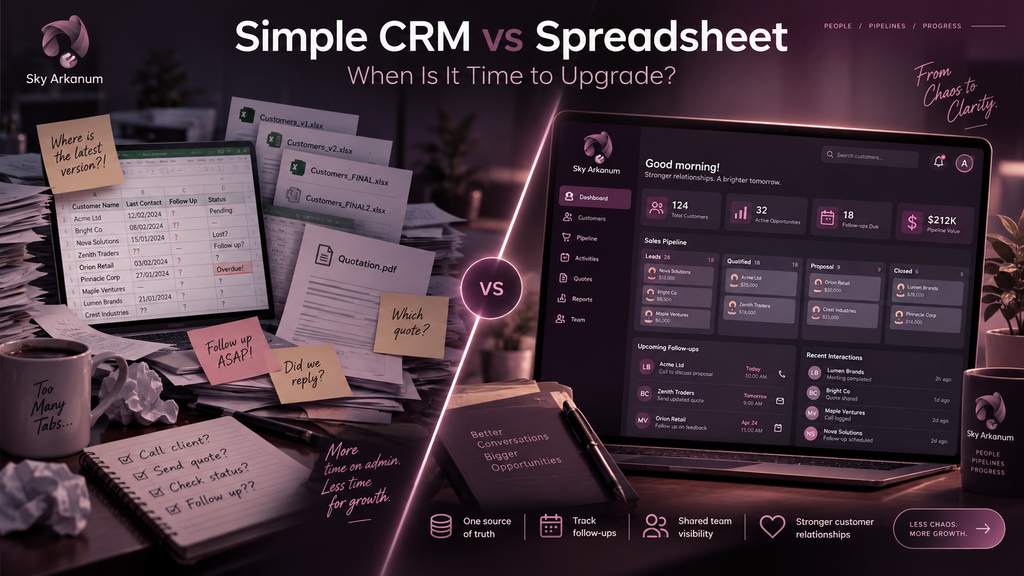
Spreadsheets are not bad.
For a very small customer list, they can be practical, flexible, inexpensive, and easy to understand.
The problem comes when the spreadsheet starts doing work it was never designed to handle.
Multiple employees edit different versions.
Interaction history becomes difficult to record.
Follow-ups depend on manually checking dates.
Documents live somewhere else.
Employees create extra tabs to compensate.
Customer conversations cannot easily be connected to the record.
Eventually, the spreadsheet stops being a useful tool and becomes something employees have to maintain.
Current 2026 small-business CRM guidance repeatedly identifies this transition point: customer information becomes scattered, team coordination becomes difficult, follow-ups start slipping, and the business can no longer see its pipeline clearly.
That is when a CRM becomes worth considering.
Off-the-Shelf CRM or Custom CRM for Small Business?
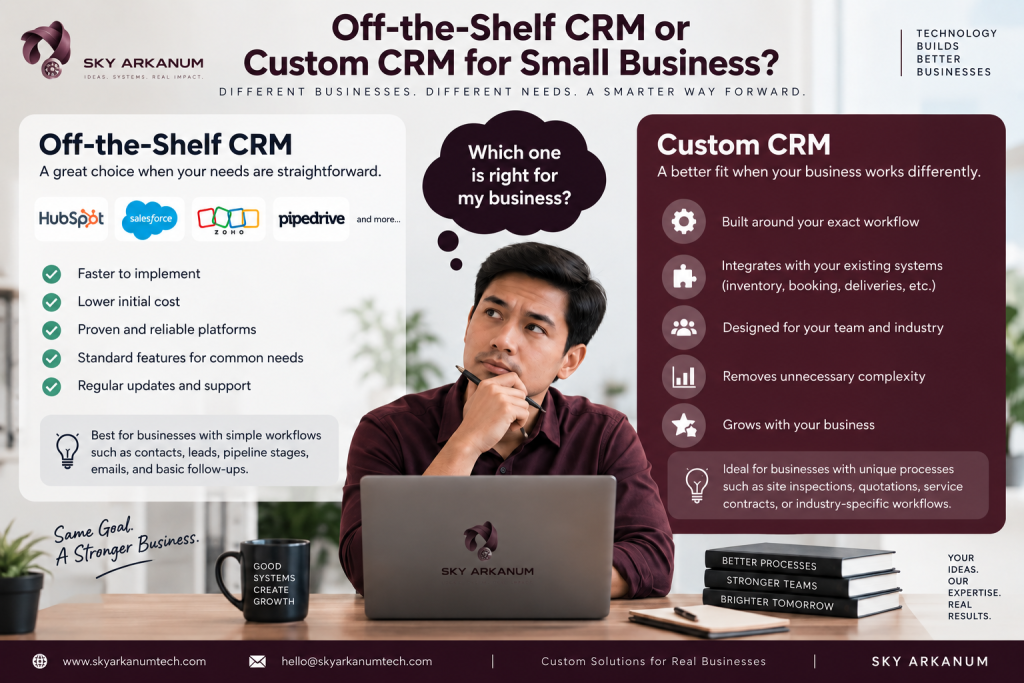
Not every MSME needs custom software.
That is important.
Platforms such as HubSpot, Salesforce, Zoho, Pipedrive, and many other existing CRM products can be excellent solutions when their workflows already match the business.
If your needs are straightforward—contacts, leads, standard pipeline stages, emails, and basic follow-ups—an existing platform may be faster and less expensive to implement.
However, a custom CRM for small business becomes more interesting when the business works differently.
Perhaps a lead becomes a site inspection before becoming a quotation.
Maybe customers are actually properties, patients, students, distributors, projects, households, or service contracts.
Your CRM might need to connect directly with inventory, booking, deliveries, technicians, quotations, production, or another custom process.
Perhaps employees currently pay for several disconnected systems because no single platform fits the workflow.
In those cases, customization can remove unnecessary complexity.
The decision should not be:
“Custom software is better.”
It should be:
“Which approach solves our actual problem with the least unnecessary complexity?”
That is the more useful question.
Why Many CRM Implementations Fail
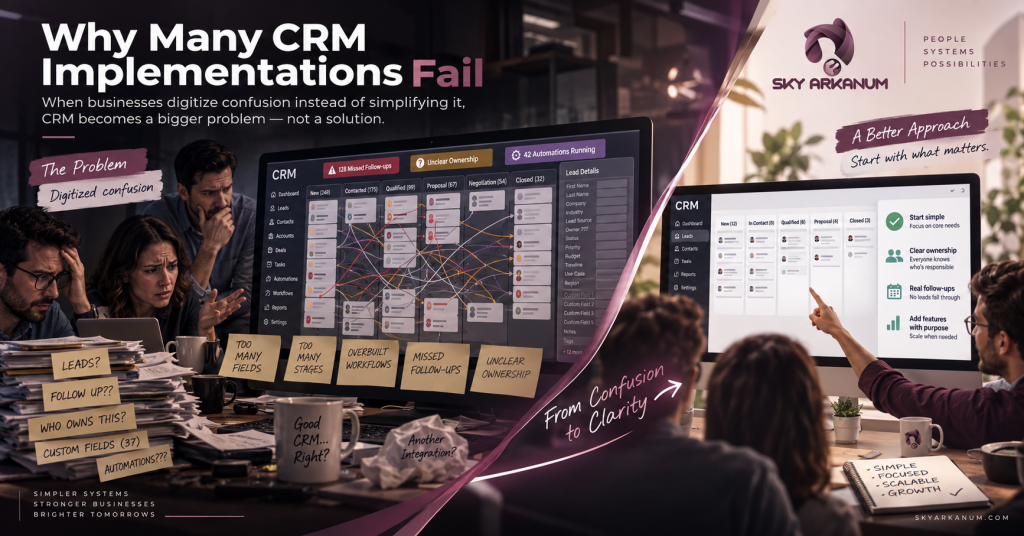
CRM software cannot fix a confusing business process by itself.
If employees do not know who owns each lead, when follow-ups should happen, which information must be recorded, or what each sales stage means, the software may simply digitize the confusion.
Another common mistake is overbuilding.
Businesses sometimes start with fifty fields, fifteen pipeline stages, sophisticated automation, complicated dashboards, and numerous integrations.
Employees then avoid the system because updating it takes too much time.
Current simple-CRM guidance emphasizes this same principle: small teams benefit most when the CRM reflects the workflow they actually use and avoids unnecessary enterprise-level complexity.
Start with what matters.
Then add functionality when there is a real reason.
What Should an MSME Automate First in a CRM?
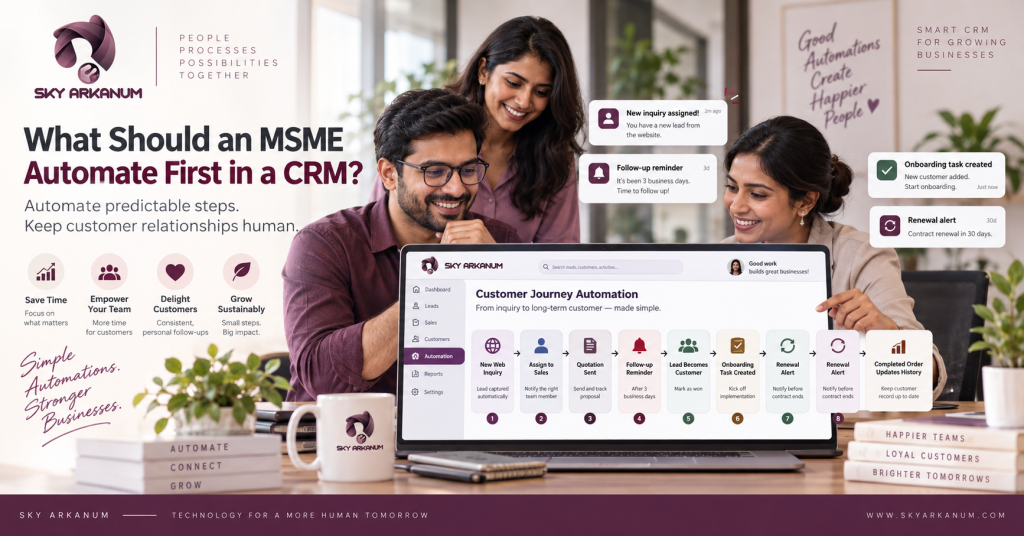
Automation works best when the action is predictable.
Suppose every new web inquiry should be assigned to sales.
That can happen automatically.
If every quotation requires a follow-up after three business days, the CRM can create the reminder.
When an opportunity becomes a customer, the system might create onboarding tasks.
When an existing customer reaches a renewal date, the responsible employee can receive an alert.
After an order is completed, the customer’s history can update automatically.
The business can therefore remove repetitive coordination without removing human relationships.
That distinction matters.
CRM automation should support employees.
It should not make customers feel like they are talking to a machine every time they contact the company.
How a Simple CRM Helps Owners Make Better Decisions
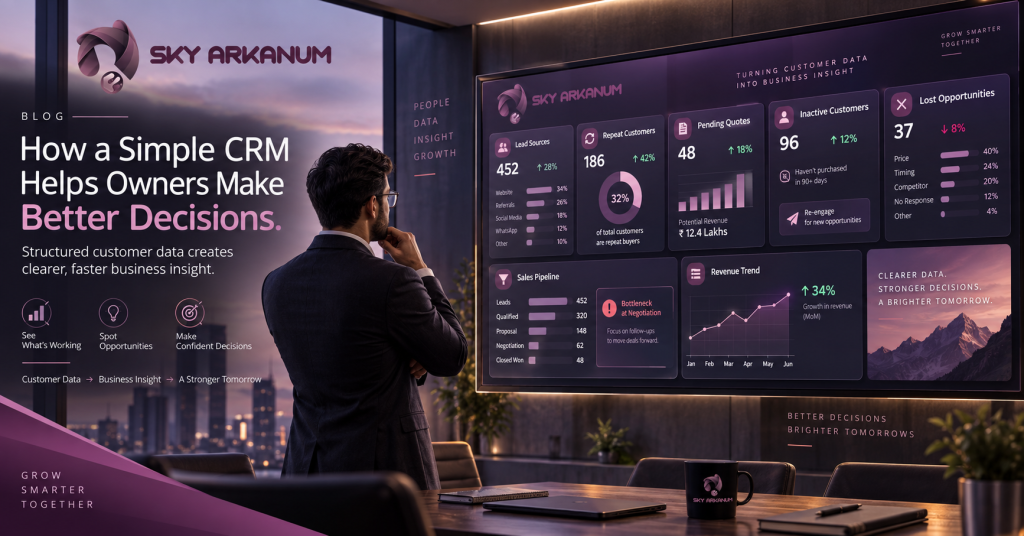
Customer information becomes much more valuable when it is structured.
Over time, CRM data can help answer questions the business previously had to guess.
Which lead sources actually convert?
Which products generate repeat customers?
How long does a typical sale take?
Why are opportunities lost?
Which customers have been inactive?
What quotations are still pending?
Where does the sales process slow down?
Those insights allow management to improve the process itself.
The CRM stops being merely a place to store names.
It becomes part of how the business learns.
A CRM Should Connect Sales and Operations
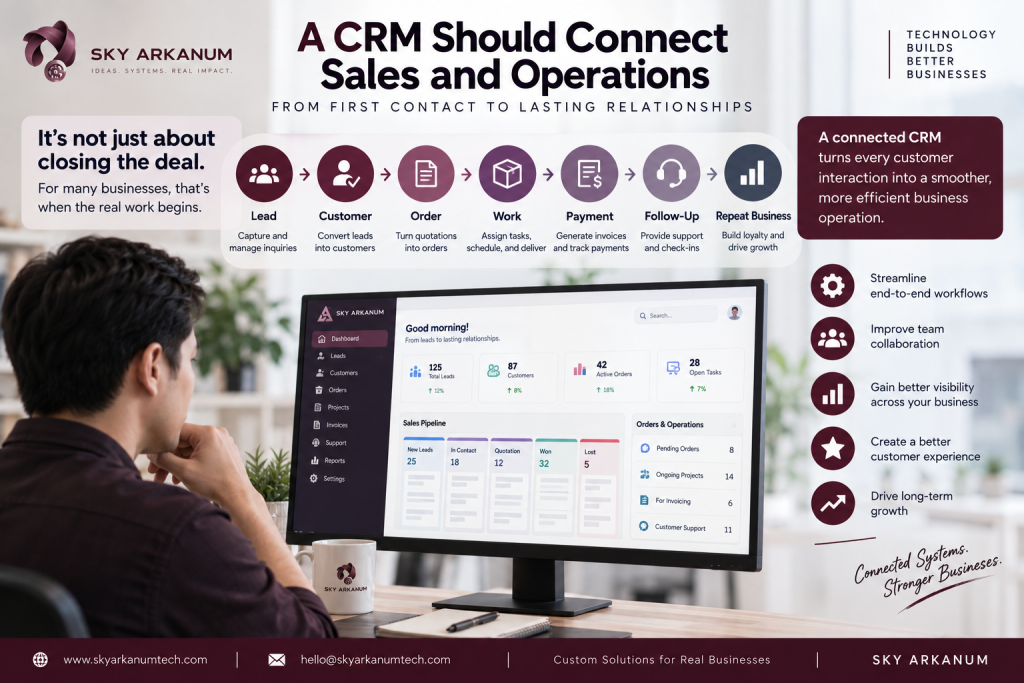
One significant opportunity for MSMEs is connecting what happens before the sale with what happens after the sale.
Traditional CRM discussions frequently stop when a deal becomes “Won.”
But for many real businesses, that is when the actual work begins.
A quotation becomes an order.
The order affects inventory.
A service request becomes a job.
The job needs an employee.
A booking requires a schedule.
A project needs tasks.
An order eventually requires an invoice.
The customer may later need support.
This is why a custom CRM can become particularly valuable for operational businesses.
Instead of CRM being an isolated sales database, it can serve as the beginning of a connected workflow.
Lead → Customer → Order → Work → Payment → Follow-Up → Repeat Business
That creates much more value than storing contact information alone.
Does Your MSME Actually Need a CRM?
A good signal is when managing customer relationships begins depending too heavily on memory.
For example, if your team regularly asks questions such as “Did anyone follow this customer up?”, “Where is their quotation?”, “Who spoke with them last?”, “What did they buy before?”, or “Which customers should we contact today?”, the business may have outgrown its current customer-management method.
Another indicator is dependency on individual employees.
If losing access to one salesperson’s inbox, notes, or memory would create serious confusion, customer information needs a stronger home.
The CRM does not need to be large.
It needs to be reliable.
Building a Simple Custom CRM With Sky Arkanum
At Sky Arkanum, we approach CRM development from the business process first.
We do not begin with:
“How many features can we put into the CRM?”
We begin with:
“Where are you losing customer information, opportunities, and time?”
That means understanding how customers currently enter the business, who responds to inquiries, what information employees need, how quotations work, when follow-ups should happen, what happens after a sale, and what management needs to see.
From there, the first version can be designed around the workflow that actually matters.
For one MSME, that might mean customer profiles, inquiries, quotations, and reminders.
Another may need leads, booking, service history, and recurring appointments.
A distributor might need customer accounts, quotations, orders, collections, and purchase history.
Meanwhile, a service company could need customers, jobs, assigned technicians, documents, billing status, and follow-up.
The technology follows the business process.
Not the other way around.
Start With Customer Relationships You Cannot Afford to Lose
A CRM does not create strong customer relationships by itself.
Your people still do that.
However, a good CRM makes it much easier for your team to remember, coordinate, follow up, and provide consistent service.
Customer information finally has a reliable home.
Every lead can have a clear next step.
Employees gain shared context instead of relying on individual memory.
Meanwhile, owners gain better visibility into customer relationships and sales activity.
Most importantly, it reduces the chance that a valuable relationship disappears because someone forgot to update a spreadsheet or follow up on a message.
For an MSME, that can be the difference between simply collecting inquiries and actually building a repeatable customer-management process.
A simple CRM for small business does not need to be complicated.
It needs to answer three practical questions:
Who is this customer?
What has happened so far?
What needs to happen next?
If your current system cannot answer those questions quickly, it may be time for something better.
Ready to Stop Losing Track of Customers and Leads?
If customer records are scattered across spreadsheets, inboxes, chat applications, personal notes, and disconnected systems, Sky Arkanum can help you explore a simpler way to manage them.
We can help map your current customer journey, identify where leads or follow-ups are being lost, define the CRM features your team actually needs, and determine whether an existing CRM or a custom solution makes more sense.
The goal is not to give your team more software.
It is to give them a better system for managing relationships and growing the business.
Talk to Sky Arkanum about building a CRM around the way your business actually works.
Frequently Asked Questions About CRM for MSMEs
What is a simple CRM for small business?
A simple CRM for small business is a customer-management system focused on essential functions such as customer profiles, leads, conversations, follow-ups, sales opportunities, notes, and relationship history without unnecessary enterprise-level complexity.
Can a CRM help prevent lost leads?
Yes. Leads can be assigned to employees, moved through defined sales stages, and connected to follow-up tasks or automated reminders so opportunities are less dependent on memory.
Is a CRM useful for businesses with only a few employees?
Yes. Company size is not the only factor. Even a small team can benefit when several people communicate with customers or when customer information is spread across spreadsheets, email, chat, and personal notes.
Can a CRM help retain existing customers?
A CRM can preserve customer history, remind employees about renewals or follow-ups, identify inactive customers, and make it easier to provide consistent service to returning customers.
Is a spreadsheet enough for customer management?
It can be for a very small customer base. However, spreadsheets become less effective when multiple employees need access, interaction history matters, reminders are important, or the business needs pipeline visibility and automation.
Should an MSME buy an existing CRM or build a custom CRM?
Existing CRM platforms are often the best option when the company’s process is relatively standard. Custom development makes more sense when workflows, customer types, integrations, or post-sale operations do not fit standard CRM structures.
What features should an MSME CRM include first?
Start with customer records, lead tracking, interaction history, staff ownership, follow-up reminders, pipeline stages, notes, and a basic dashboard. Additional features should be added only when they solve a genuine business requirement.
Can a CRM integrate with other business systems?
Yes, depending on the systems involved and their available APIs or integration options. A CRM may connect with email, websites, booking systems, ecommerce platforms, accounting software, inventory, payment services, and other operational tools.
Can Sky Arkanum build a custom CRM for an MSME?
Yes. Sky Arkanum can design and develop custom CRM and customer-management applications based on the company’s actual sales, customer-service, and operational workflows.
Written by Sky Arkanum Technologies · 19 September 2026
Ask us about this